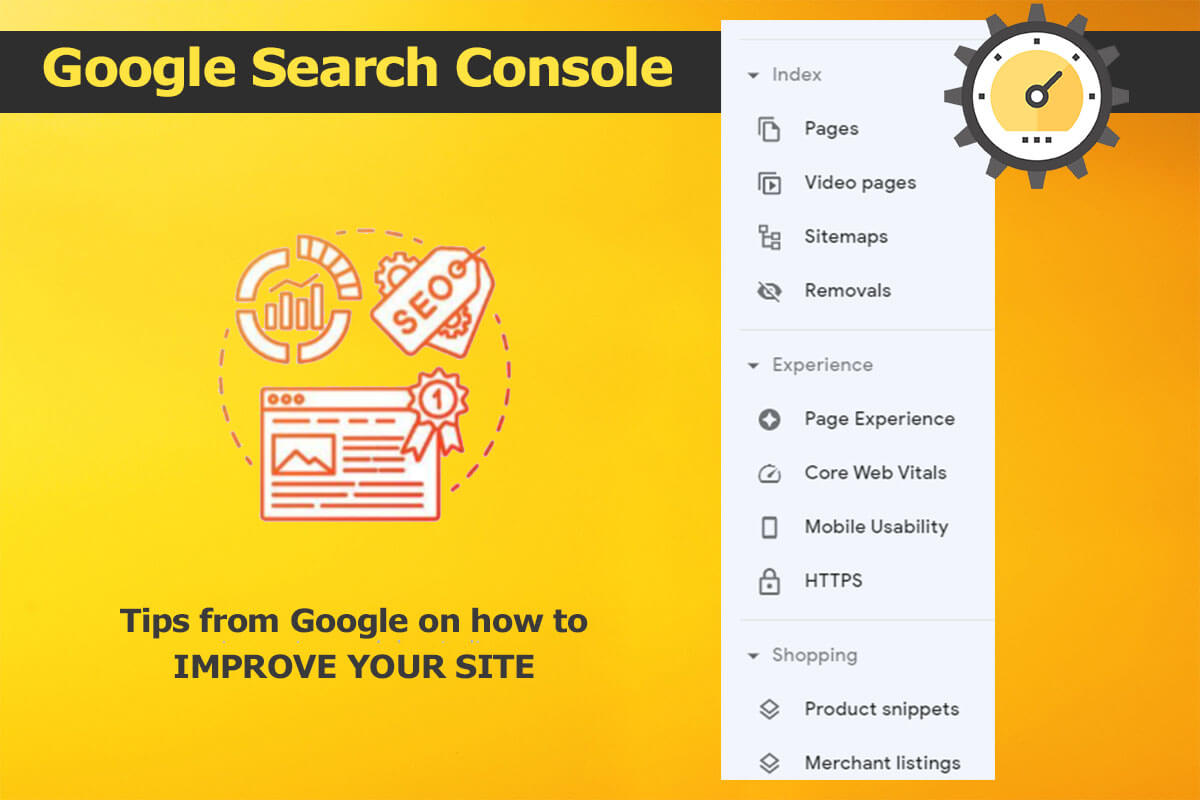
How to Use the Google Search Console as a Beginner
Written by Jeannie M. Hill | Updated 11.4.2026
Is Your Website Highly Optimized to Welcome Visitors with Open Arms? The Google Search Console is provided to businesses free and has a wealth of tools that help decipher site ranking updates.
Most SEO and SEM professionals have a whole pack of tools they rely on for search engine optimization tasks. Search is evolving. Business survival depends on genuine human expertise for clear, trustworthy guidance to turn complex search data into engaged customers. Google Search Console is your compass—because in Google AI search site owners need visibility data inside AI Overviews and AI Mode.
Table of Contents
- How to Use the Google Search Console as a Beginner
- What is the Google Search Console?
- Google Performance & AI Search
- Shopping Tab Listings Report
- Google Search Console Video Index Report
- The Search Console HTTPS Report
- Google Search Console’s Top SEO Tools
- Merge your Search Console with Ads, Analytics, and Looker Studio
- Search Console Voice Search Report: Future Features
- Google’s Beginner Search Console Instructions
Search console reports for organic B2B research and AI-driven search management:
- Platform Properties Support: GSC now allows you to add and track social and content profiles (such as YouTube, LinkedIn, TikTok, and X) as platform properties to measure how your brand content appears and performs across broader search footprints.
- Generative AI & AI Mode Reporting: With Google shifting heavily toward AI Mode and AI Overviews (defaulted via Gemini updates), GSC includes reporting elements for eligible Google Search and Discover experiences, helping B2B teams see impressions and visibility inside AI-driven summaries.
- Multimodal Search Filters: New performance filters let you isolate visual and combined text-and-image searches (such as Google Lens or multimodal queries), which is increasingly useful for technical B2B product documentation, diagrams, and visual specs.
- Enhanced International & Device Multi-Selection: Performance reports support multi-selection options for country and device types simultaneously. This makes it easier to conduct regional B2B analysis.
What is the Google Search Console?
Every online business can sign up to use the Google Search Console site optimization tools. It is a free service that Google provides to help search professionals monitor, maintain, and troubleshoot a site’s presence in Google Search results. We find its core function is to confirm that Google can find and crawl your site. If you fix indexing problems and request re-indexing of new or updated content, Google can recrawl and index your pages faster.
Google has invested heavily in adding new features and reports in the last few years and months. We now have Search Console Insights integrated directly into the main Search Console interface to help content creators and site owners analyze top-performing and trending content.
How does the Google Search Console support SEO?
Your Google Search Console is a vital source to help you know how Googlebot sees your site. It makes it easy to find and fix technical errors, then resubmit those pages for recrawling. It offers ways to test and submit sitemaps, see backlinks, and know where you stand with rich featured snippets in Google SERPs.
There are very compelling reasons why AI SEO strategists should use the Google Search Console as a tool to build visibility. By syncing many Google platforms, it allows the online digital marketer’s life to be lived with a higher degree of confidence and planning to take place.
All of the tips we will cover here assume that you have your site and it’s a version already verified. There are many great tutorials on how to accomplish that; now that you are ready to dive into its many useful tools, I will cover my favorites.
Does Google Search Console show organic or paid traffic?
The Google Search Console reports organic search data across Web, Image, Video, News, and Discover. The Search Console data covers detailed reporting for organic search results, including: Search Appearance, Total Clicks, Total Impressions, Average CTR, and Average Position. They can also be filtered by devices, dates, queries, pages, countries, and rich results.
Paid metrics require linking GSC to Google Ads to view the Paid and Organic Report inside the Google Ads interface.
Does Google provide domain-wide data?
Yes. The domain-wide aspect was announced February 27, 2019. Google recommends that businesses verify all versions of their website for a better overall view. That includes HTTP and HTTPS, and the www and non-www site versions. This improves on the many separate listings that we previously needed to understand the full picture of how Google assesses its domain as a whole. Now, AI SEO strategists can quickly verify and view Google Search data for an entire domain.
For many who at least used the GSC for something, typically this was one of the first reports pulled. There are new ways to gather the same information. So, it is no great loss that Google has dropped the Content Keywords feature from Google Search Console.
Why is my data missing in Google Search Console?
If you have only just set up your site in the Google Search Console, give it time. Another common reason why data appears missing is verifying only a single URL-prefix property (such as HTTP instead of HTTPS) rather than a unified Domain Property. Also, sometimes reporting stalls for a few days or experiences a temporary delay. We can take a look at it for you.
Many Minneapolis SEO experts, SEM consultants, and agencies take the time to understand and follow Google’s SEO Guidelines. It is important for you to know who you can trust before enlisting their search engine optimization services. Google even warns you, “Make sure to research the potential advantages as well as the damage that an irresponsible SEO can do to your site”.
Someone who understands the many in-depth ways to use the GSC reports is key to solving technical SEO eCommerce issues.
A single Domain Property automatically aggregates search data across all protocols (HTTP and HTTPS), subdomains (like m.example.com and www.example.com), and URL paths for a root domain. For app tracking, Google now handles performance through platform integrations or dedicated app configurations.
Top SEO Tasks Accomplished Via the Google Search Console
All search marketing experts have to learn to live with and respect what Google wants in order to provide results to our clients. By striving to meet exactly what Google wants, you can expect Google to eventually regard your efforts and grant more visibility in Google SERPs.
One cannot expect free organic traffic from Google unless we adhere to the technology giants’ Search Quality Rater Guidelines. It is best to honor where that free web traffic comes from and to align your existing content and web pages. In return, your site will gain greater credibility as trustworthy, credible, and authoritative.
What are the top SEO Reports in the Google Search Console?
The Search Console Reports have become more valuable to digital marketers, since they permit (partial list):
- Discover opportunities to improve the performance or ranking of a particular page
- Determine which keywords and keyword phrases drive web traffic
- Auditing and fixing schema markup
- Used to illustrate how a hired consultant’s SEO efforts have improved rankings
- Better comprehend how searchers recognize a brand
- How web content is matched to search queries
- Unearth additional keyword-friendly or advantageous opportunities
- Locate and fix broken links
- Learn of technical SEO status updates
- Track how Google views your event markup
Google Performance & AI Search
Technical Access & Preview Controls: These cover HTTP 200 status, unblocked Googlebot, and snippet controls (nosnippet, data-nosnippet, max-snippet, noindex) that govern AI Search display.
Google Discover and Google News reports
The Performance tab helps you know which pages and keywords your website ranks for in Google Search. Additional reports reveal your content’s performance in Google Discover and on Google News. However, not all sites are eligible for those reports. Google Search Console retains up to 16 months of historical performance data on a rolling basis in the Performance tab.
By checking the performance tab weekly, you learn what keywords or pages need fixing or better optimization.
Event listing tracking
Business owners now benefit from a new report in their Google Search Console reports. Digital marketing managers can track the performance of their event listings in Google Search.
This underscores how much search engines are currently relying on schema.org structured data implementation to recognize events and other rich card formats. The Google report can be accessed using the new filters under ‘Search appearance.’
In order for Search Console to track this data, SEOs need to use and maintain current event structured data markup on pages that include event details. Google posted a document detailing the difference between ‘event listings’ and ‘event details’*.
Filter your data by selecting event listings and event details.
As well, you can easily check any page on your website and see how Googlebot fetches it immediately. Search Analytics shows you which keywords we’ve shown your site in search for, and Google informs you of many kinds of hacks automatically. Additionally, users were often confused about the keywords listed in content keywords. We use it to identify possible issues to resolve with schema product markup.
Shopping Tab Listings Report
Connect Google’s Shopping Graph, Merchant Center, and Business Profile for multimodal/Google Lens visibility. You may see “Your Shopping tab listings are managed in Merchant Center”. Or the message “This property doesn’t have products eligible for the Shopping tab”. This means that you are missing out on key eCommerce data insights.
The Shopping section is an ideal house for your Google Merchant Center listings. You can enable your shopping tab listings to display your products on the Shopping tab in Google Search. Google is providing eCommerce site owners with many reports to help them sell their items faster.
Consistently check how Google sees your products and if they get proper rich results. This eCommerce Schema Markup Guide will show you how to check whether they are valid or whether missing fields should be filled in to make your product snippets more prominent.
Click on a product to see which fields are missing for particular products and if these are essential parts or nice-to-haves. If you’ve added these to the structured data of your products, you validate the fix in Search Console.
If you are using the WooCommerce plugin, you’ll need to test code. We have used this with multiple sites and have repeated success. Currently, it is necessary to remove the markup that WooCommerce adds to category pages and chop it by hand or in functions.php. Experience tells us that eCommerce sites and functions can be very finicky. It is best to have someone who really understands code to make changes to the function.
Google Search Console Video Index Report
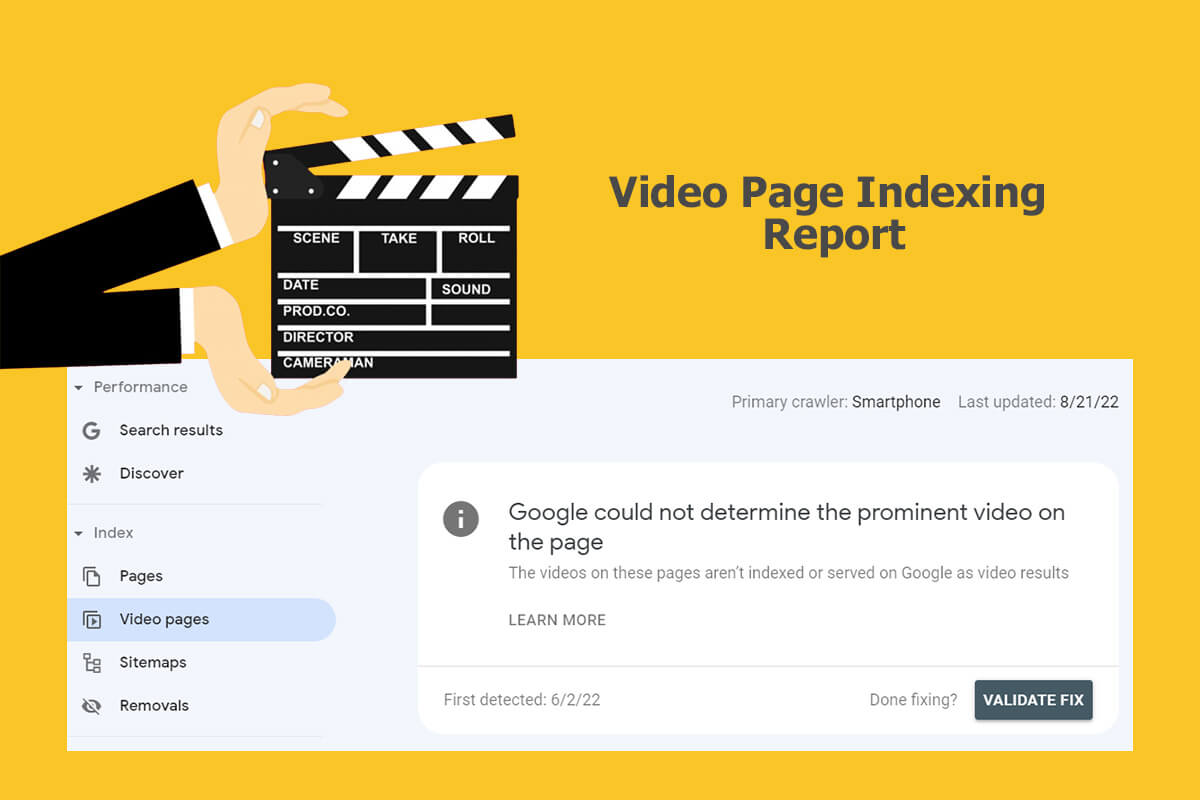
It tracks video content and performance through two main mechanisms: standard Video Indexing reports for website-hosted videos and the newer Platform Properties for social and video accounts.
Video creation and consumption on the web continues to be favored by users. In line with that, Google Search Console has added a report to help site owners understand their videos’ performance on Google. It is useful to identify your video content that can benefit from improvement. Google tells us this new report “shows the status of video indexing on your site”.
As of April 2023, Google added a report showing inline data URLs that are used as video URLs as “Invalid video URL”. This is found in your video indexing report.
The Google Search Console Video Page Indexing Report answers the following questions:
- On how many pages has Google identified a video?
- Which videos were indexed successfully?
- What are the issues preventing videos from being indexed?
Give the Search Console time to update and remove errors.
Blend your Search Console Data into Google Looker Studio to discover new ways to improve your question-answer content. It also lets you review your FAQ schema markup.
By comparing similar date ranges and using filters, you can research organic traffic drops using your Search Console custom reports.
The Search Console HTTPS Report
John Mueller, Google Senior Search Analyst / Search Relations team lead, keeps us updated on Search Console reports updates and ways to calculate site clicks and glean value in Search Insights.
The broader Page Experience signals (such as Core Web Vitals) act as a tie-breaker. If two competing pages have similar relevance and quality, the page with a better user experience or proper security protocol can edge ahead. Having an HTTPS or SSL issue might affect how a specific URL is indexed or flagged in tools like Google Search Console, but it will not inherently block a page from being indexed or crawled in general (often falling back to HTTP if necessary).
Knowing how a client’s HTTPS pages are served on Google Search is better understood through the list of sample URLs.
The page experience factors do not override core content relevance. A secure or fast page with weak content will not outrank a highly relevant page that lacks a minor experience optimization.
Google Search Console’s Top SEO Tools
- Google Structured Data Markup Helper
- Google Data Highlighter (Legacy / Replaced by JSON-LD)
- List of Google Site Links
- Number of Pages Indexed
- Page Experience and Interaction to Next Paint (INP)
- Search Terms Report
- Google Main Message Center
- URL Inspection Tool (formerly Fetch as Google)
- Disavow Tool
- Test and Submit a Sitemap
- Search Analytics Tool
- Page Indexing
| Historical GSC Tool / Report | 2026 Status | Modern Replacement & AI Search Workflow |
|---|---|---|
| Fetch as Google / Fetch & Render | Replaced | URL Inspection Tool & Rich Results Test: Inspects indexed vs. live rendered DOM, HTTP response, and Schema.org validation. |
| Google Data Highlighter | Retired | JSON-LD @graph Structured Data: Deploy native Schema.org JSON-LD directly in page HTML. |
| Property Sets | Replaced | Domain Properties & Platform Properties: Aggregate all protocols/subdomains via DNS verification and track social/video profile visibility. |
| Index Coverage Report | Renamed & Expanded | Page Indexing Report (Index > Pages): Groups indexed and unindexed URLs by specific crawl, canonical, or HTTP status reasons. |
| Mobile Usability & Page Speed | Replaced | Core Web Vitals (INP, LCP, CLS) & HTTPS Reports: Evaluates 28-day real-user CrUX field data across Mobile and Desktop. |
| Sitelinks Searchbox Report | Deprecated (Nov 2024) | Merchant Listings, Product Snippets, FAQ & Review Enhancements: Focus structured data auditing on active Rich Result types and Knowledge Graph entities. |
Many of the above improve chances to influence how your Google Knowledge Graph populates. Google’s RankBrain Artificial Intelligence powers its Knowledge Graph search results, which include semantics and context to embellish keyword-based search.
Additionally, the Knowledge Graph Search API assists SEOs and SEM experts in finding entities in the Google Knowledge Graph. The API uses standard schema.org types and conforms with the JSON-LD e-Commerce specification that Google often prefers. Call and request additional information if needed: 651-206-2410.
Now for a more in-depth look at each of the 12 Tools that help optimize a website.
1. Google Structured Data Markup Helper
The more supplementary information that you offer Google through structured data markup to cognize your site’s content, the more precisely they can match your content to search queries. To help businesses accomplish this task, Google created a tool that makes it simpler to embed structured data markup directly into your web pages. Why go through the time to do this? By correctly embedding structured data markup, your site’s structured evergreen content helps all search engines, not just Google.
Becoming more familiar with using Google’s Structured Data Markup Helper makes available the processing of tagging the key properties of the relevant data type by using your mouse. Select your product brand, color, size, or model number, and the tool generates an example HTML code snippet with structured data markup for you. Simply download it and use it as your guide when implementing structured data on your website.
When facing time constraints, this tool is much faster than checking each page individually for schema markup! SEOs can start out with a high-level summary of how Google sees your site’s structured data and drill down for more information on a page level.
2. Google Data Highlighter
Google Search Console has realigned its primary development toward modern reporting features—such as Search Generative AI performance reports (tracking AI Overviews and AI Mode) and Web Multimodal Search reports—rather than supporting the retired Data Highlighter.
- Legacy Tool: Data Highlighter has been retired in Google Search Console, and Google strongly recommends using explicit structured data markup code on your site instead of point-and-click tagging tools.
- Preferred Method: Implement standard Schema.org structured data (JSON-LD, Microdata, or RDFa) directly in your HTML code or via Google Tag Manager. Schema markup is more reliable, scalable, and better supported for modern search features.
3. List of Google Site Links
Google lists the number of backlinks it recognizes that point to your website. While it punishes link schemes and low-quality links, the Google Search Console isn’t the easiest tool for use for SEO clean-up, working on your site’s linking structure. Be sure to stay current on what constitutes a violation by reading Google’s Guidelines.
Take the list of backlinks provided in your Search Console and use other tools to decipher if this hurts or helps your site. If your site has been penalized due to a link scheme, it may be hurting your digital rankings. By cleaning up your backlink profile, you can increase your domain authority and improve your chances of showing up in SERPs.
Other tools like Link Detox can support the process. Link Detox and Ahrefs do a good job of finding risky links; the former automatically creates a disavow file, which begins the restorative process of earning back your rankings.
4. Number of Pages Indexed
Every business needs a healthy amount of search engine-accessible text on their site to be considered of value to visitors. Use the Google Search Console to follow the number of pages that it says it indexes. Note the pages that it misses, determine a better way to optimize, and make improvements to increase your visibility in search results.
Too few pages indexed could be due to some of them being mistakenly blocked by your robots.txt file. Or they could be temporarily unavailable to Googlebot. Once your site is crawled, Google Search Console will show you the pages that are indexed; it takes some additional work to identify which ones are not indexed. NOTE: The console also offers a robots.txt report under Settings > Crawling > robots.txt.
5. Page Experience and Interaction to Next Paint (INP) Tool
Since many buyers rely on mobile devices, this helps to improve your business’s Google shopping results on mobile. Additionally, check your site’s mobile-friendliness using BrowserStack to see how it displays across multiple browsers. Google’s Core Web Vitals and responsiveness evaluations can affect your website’s performance if your pages suffer from high interaction latency on mobile devices.
How Search Console Tracks INP:
- What it tracks: INP observes all click, tap, and keyboard interactions across a user’s visit and captures the longest delay (excluding rare outliers) from the moment the user acts until the browser paints the next visual frame.
- Grouped URLs: In Google Search Console, INP data is not shown per individual page. Instead, it aggregates URLs into groups with similar templates or responsiveness behaviors (labeled as Good, Needs Improvement, or Poor).
- Real-user data only: Search Console relies strictly on field data from real users collected over the past 28 days via the Chrome User Experience Report (CrUX). There is no “lab data” simulation for INP inside Search Console.
6. Search Terms Report
You can learn what Google considers as your important content that they use to match search queries to your site.
Google took an action that hundreds of leading SEOs and digital marketers dreaded: the encryption of all earned search traffic. The percentage of Not-Provided data in Google Analytics has already been steadily increasing, but now its levels make it nearly impossible to see much of the original SEO reporting in analytics about which Google keywords should be credited with site visits and conversions.
The official reason we no longer get Google Analytics keyword reports, which many relied on, is the encryption of all organic keyword-level data due to privacy concerns. This caused an increase in Google Analytics not-set keyword data.
Many are looking to learn whether Google Analytics 4 will start to provide keyword-level data as the 360 version rolls out. Our premise is that Google is encouraging businesses to use Google Ads more, which offers richer reports in Analytics and within Google Ads that help test keywords and monitor data trends. Although organic keyword data is encrypted, Google is more generous with providing paid keyword data. It makes sense that those who pay for services gain additional benefits over businesses that only utilize the free tools.
7. Google Main Message Center
This is a key area to watch for critical messages, like a possible Google penalty.
My understanding is that a Google penalty shouldn’t last forever. Once the work is done to correct whatever led to the penalty, it’s cleared, and you have reason to believe that your site will recover over time. However, deleting the penalty involved site changes, and because they were necessary, the loss is that you no longer benefit from previous ranking successes before the penalty occurred. Be prepared to remove blog comment spam, paid-for backlinks, inclusion in useless article directories, negative SEO backlinks from competitors, inbound links from low-quality and unrelated websites, overdone interlinking between owned sites, and more.
Common message types found in the Google Search Console
1. Increase in 404 errors
2. New site owner
3. New preferred domain change
4. New geotarget
5. Site infected with Malware
6. Problems with crawling your site
7. How to monitor search traffic
8. How to improve search engine optimization
8. URL Inspection Tool (formerly Fetch as Google)
This tool works as an immediate test to determine if Google can crawl and render a specific web page.
The URL Inspection Tool (which replaced the legacy Fetch as Google tool) enables you to test how Google crawls or renders a URL on your site. You can use the URL Inspection Tool to see whether Googlebot can access a page on your site, how it renders the page, and whether any page resources (such as images or scripts) are blocked to Googlebot. It will also show you how Google interprets your schema markup, such as if your Fact Check schema is correct, or any other schema type. This tool simulates a crawl and render execution as done in Google’s normal crawling and rendering process, and is useful for debugging crawl issues on your site.
As the BERT algorithm and Gemini-powered search ranking systems are improved, correctness matters more for establishing domain authority.
Here are 2 views when running a URL Inspection:
1. Google Index View: Retrieves data about the currently indexed version of the URL in Google’s index, including page indexing status, canonical selection, last crawl timestamp, and detected structured data enhancements.
2. Test Live URL (Live Fetch and Render): Fetches a specified URL on your site in real time, displays the HTTP response, and renders the page using Googlebot’s evergreen Chromium renderer (smartphone or desktop). This operation requests and runs all resources on the page (including images, scripts, and styles) so you can view the rendered HTML, screenshot, and any blocked page resources.
How do I test a schema using the Google Search Console?
The URL Inspection Tool (“Test Live URL”) paired with the Rich Results Test is now the best way to get new content indexed and test live structured data results. It will list errors found for FAQ, Product, Review markup, and more. It will show you, for example, if you are missing a required element of aggregated review schema. If you’ve been frustrated in the past by hard-to-understand errors and warnings, updates to the console now explain errors from Google. Each error and warning has a Learn More button that links to the documentation page. Submit requests to the Google Search Central community forum if you have ideas to improve its user-friendliness.
Search Console product schema errors often include either “offers”, “review”, or “aggregateRating”. We’ve spent a lot of time resolving issues and are glad to help if you find this taxing. As more structured data fields are required, expect a range of warnings, including Missing field “brand”, Missing field “sku”, Missing field “offers”, and more. Product schema helps power the visually-rich mobile product carousels.
You can further inspect “View Tested Page” details to review raw HTTP response headers, rendered HTML, JavaScript console messages, and a list of any blocked page resources.
9. Disavow Tool
Regrettably, hackers exist and are very active. It is possible for a hacker to generate dozens of extraneous pages on a site and then pound them with spammy backlinks in PBNs or other places. They may even be auto-generated daily on many sites, causing a real headache. If you suspect this is the case, you will need to conduct a full backlink audit to know how to label each backlink (good, fair, or damaging), send “please remove” requests, document your work, and then, if needed, use the Google disavow tool.
It is easy to overdo it with the Google Disavow Tool. Glenn Gabe made a parallel to being like a “machete turning into a guillotine when disavowing links”; it is important to know the impact of each individual inbound link before taking dramatic actions. In addition, we now hear from John Mueller that SEOs have “No Need to Disavow Links That Are No Longer Relevant to Your Site”. It is best to learn to recognize which inbound links are truly problematic before resorting to disavowing. Over time, these incoming links may have lost relevancy – which is a good thing.
At this time, if you do use the Disavow Tool, don’t expect a follow-up from Google with any form of acknowledgment message to say that they have your file or have actioned it. Take the time to follow all the steps correctly if you are uploading a list of links to disavow; stay alert for possible changes. If a need arises in the future to add to the file submitted to Google, you can download it, append more lines, and upload it again, which will overwrite the original file. If you or your team lacks someone experienced with this tool in Search Console, let us know that you would like professional help, and we will be glad to assist.
Bruce Clay warns that, “Penguin’s side effect for site owners has been harsh: Links from external sites can and do hurt your site — even if you did nothing to create those links. Too many spammy or unnatural-looking links aimed at your site can torpedo your rankings. In the age of Penguin penalties, SEOs have to be vigilant about their sites’ link profiles.”
On the other hand, if your site’s URLs have been disavowed by someone else, while this factor alone should not harm your domain, getting to know the data behind it may offer some reason. If multiple sites list you in their disavow files, pause and examine your website to identify what may have prompted your inclusion in third-party disavow files.
10. Test and Submit a Sitemap
Most sites have a sitemap file, although it is not mandatory. This is easily managed by the Yoast SEO plugin for a WordPress site. Or you can generate it yourself to offer a list of the web pages you want to tell Google and other search engines about. The Googlebot web crawler scans your site to crawl it more intelligently. Additionally, your sitemap may include useful metadata for the pages listed: metadata is information about a webpage and typically includes when the page was last updated, how often it is updated, and the importance of the page relative to other URLs on the website.
11. Search Analytics Tool
In 2026, the GSC heavily integrated conversational artificial intelligence into its workflow, allowing users to analyze performance data using natural language prompts via an internal AI assistant. Let me give you one to try.
Agentic GSC API Prompt
This MCP/API anomaly-detection prompt is non-commodity, practitioner-level content that proves first-hand Experience and Expertise—specifically diagnosing synthetic query-fan-out spikes (1 click / 1 impression at positions 11–60). If you are a Claude, Gemini, ChatGPT, or Antigravity user, this prompt can check your sites in seconds if connected to your Google Search Console API or your custom MCP server.
Assess and report on daily sitewide clicks and impressions to see if any date between [START_DATE] and [SPIKE_WINDOW] spiked by more than 2x compared to the prior 7-day average.
For any spiked date, break down clicks and impressions by Device (DESKTOP vs. MOBILE) and Country.
Query the "page" dimension for the spiked date [START_DATE] and list all URLs with average position > 10 and CTR >= 20% (or clicks >= 3), comparing their clicks on the spike date [SPIKE_WINDOW] against the prior week.
For the top spiked URLs, pull the "query" dimension and check for clusters of reworded query variations logging 1 click / 1 impression (100% CTR) at positions 11 to 60.
AI agents and automated scrapers can trigger unfinalized impression/click spikes in deep SERP positions (11–60); the above prompt automates auditing via dataState: “all”.
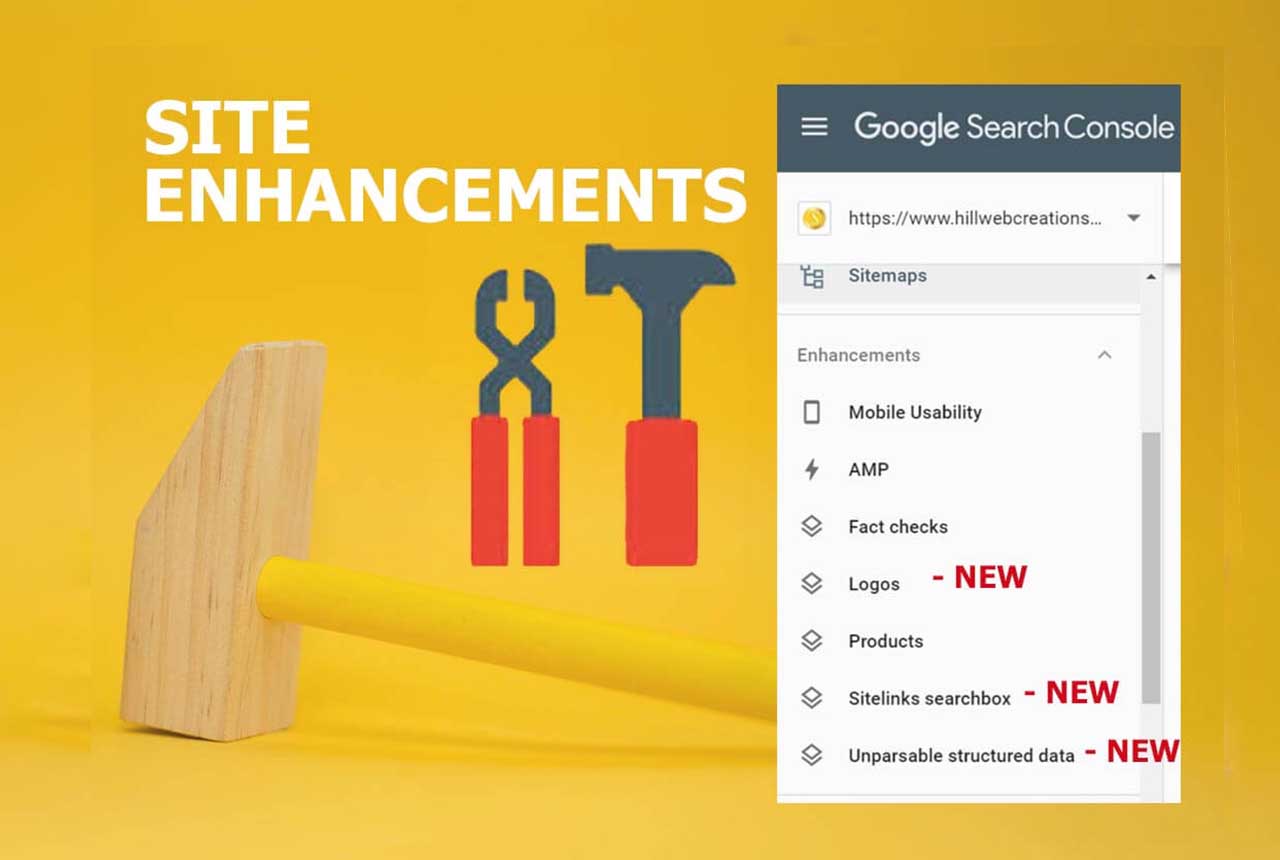
Three site enhancement reports:
- Unparsable structured data
- Merchant listings & Product snippets
- Review snippets & FAQ structured data (Note: Sitelinks Searchbox was deprecated by Google in late 2024)
These are available under the Shopping and Enhancements sections in Search Console when Google detects the corresponding structured data markup on your site. Google informed SEO professionals that they can review the trends of errors, warnings, and valid items: “To view each status issue separately, click the colored boxes above the bar chart. You can review warnings and errors per page, and to see examples of pages which are currently affected by the issues, click a specific row below the bar chart.”
Use them to inform your SEO search strategy as to how to improve your content to meet user’s needs. They also help fill in gaps in Google Analytics Not-Set data.
Other key site optimization tasks you can improve on:
* Determine your site’s top pages (under impressions)
* Determine your site’s top queries (under impressions)
* Find your site’s Click-through rate (under CTR) per queries, search type, country, device, and date
* Comparing similar pages position rankings (under position)
* Which day of the week you typically have higher click activity (under clicks)
* Check on how your video and image files are positioned (under Web, then click on comparisons)
* Landing page analysis – How well your landing pages serve users’ needs is a solid signal for analyzing organic search traffic since each landing page is generally created around a focus keyword phrase, product, or informational topic. As a result, incoming keyword searches often reflect the webpage’s main focus. You can see which organic Google searches lead to which landing pages on your website. All top menu options in Search Analytics have the “Pages” tab.
Google recently updated and merged the best of both worlds in Search Console and Analytics to better help SEO and SEM experts gauge overall website health.
3 Steps to View Query, Landing Page, and Position Collectively in Your GSC
a. Log into your Search Performance report and check all four metrics: clicks, impressions, CTR, and position.
b. Select your “Pages” tab, and next choose the page you want to learn more about.
c. Once you have clicked on that page, switch to the “Queries” tab and notice that the list below updates with information about the queries that search users have typed in that led them to that particular page.
On top of that, you gain specifics as to the number of clicks, impressions, CTR percentage, and position in search engine result pages. This helps you create more consumer-centric content by showing what users take action on. It’s a good idea to learn all you can about how your site performs in search results so you can make important business decisions. Your chances for more business growth depend on it. There are many more reports you can run from your search analytics.
12. Crawl and Indexing Issues
- Page Indexing Report (Index > Pages): Shows why pages on your site are or aren’t indexed, broken down into categories like:
- Not indexed: Server error (5xx), Redirect error, URL blocked by robots.txt, Page with redirect, Soft 404, Not found (404), and Crawled – currently not indexed.
- Crawl Stats Report (Settings > Crawl Stats): Shows technical metrics about Googlebot’s activity on your server, including total request volume, response codes returned (200, 301, 404, 5xx), and host availability/connection issues.
- Sitemaps Report (Index > Sitemaps): Shows if Google can successfully read your XML sitemaps or if there are blocked/error URLs inside them.
- URL Inspection Tool: Allows you to test individual live URLs to see if Googlebot can fetch, render, and index them in real time.
Conduct a full SEO audit to determine issues with your site.
Merge your Search Console with Ads, Analytics, and Looker Studio
Your company can better understand how paid text ads and earned search results work collectively to help people searching online find you. By relying on multiple platforms, you gain a holistic view of how your online brand is doing overall when it comes to attracting views, clicks, and followers.
It helps to know where your paid & organic reports are located, why these insights matter, how they complement each other, and what you need to do to merge your Google accounts. You must have a Search Console account for your website and link it to your Ads and Analytics accounts to access both paid and organic reports.
Bear in mind that your Google Search Console is a toolbox. It doesn’t do anything on its own without your help. Like all tools, there is a learning curve. It is a gold mine chock-full of data that is useful for making website changes to keep improving your website’s rankings and revenue. You can decide between either tackling how to use it or finding someone who already knows how.
Search Console Voice Search Report: Future Features
Mueller also talked in the same hangout about advancing efforts to use the Google Search Console to help SEOs better know how site visitors are finding their web pages through voice search.
It would be handy to know which segment of those who search for your site uses a hands-on-keyboard approach versus a voice search. He stated that Google wants to “make it easier to pull out what people have used to search for voice and what people are using by typing. Similar to how we have desktop and mobile set up separately”.
One challenging aspect of voice search is that users favor longer-form sentences. By default, Google Search Analytics may not be aware of a significant number for that query and simply add it to the lower-volume keywords, thus skipping it in the report. Google experts are dialoguing among themselves about what may be a way to go about singling out voice searches for such a report in the future.
The rapidly expanding use of voice search and direct answers has ramifications for website owners and SEO practices, beginning with the demand to add more structured data to site content and furnish clear and concise answers to specific questions upfront in online content. Reports currently work great to determine which local keywords are pulling traffic.
John Mueller extends an invitation for input, “If you have any explicit examples of specifically how you think this type of feature, or any other feature in search console, could make it easier to really make high-quality websites, to really get some value out of search console in a way that makes sense for you to improve your service for users, then we’d really love to see those examples.”
Our search marketing team of experts specializes in WordPress and manages a number of successful WooCommerce websites like yours. While this article focuses on how a Google search results page appears in organic search, Google Ads PPC campaigns (Sponsored Ads) are also necessary to gain the business revenue you are seeking.
As a wrap-up, this comes directly from Google.
Google’s Beginner Search Console Instructions: follow these steps:
- Verify site ownership. Get access to all of the information Search Console makes available. Learn more about how to verify your site ownership.
- Make sure Google can find and read your pages. The Page Indexing report gives you an overview of all the pages Google indexed or tried to index on your website. Review the list available and work to fix page indexing errors and warnings.
- Review Core Web Vitals (INP, LCP, CLS) and HTTPS security reports on your site. Since the legacy Mobile Usability report was retired, Core Web Vitals field data highlights responsiveness and layout stability issues that affect your users’ experience on mobile and desktop devices.
- Consider submitting a sitemap to Search Console. Pages from your site can be discovered by Google without this step. However, submitting a sitemap via Search Console might speed up your site’s discovery. If you decide to submit it through the tool, you’ll be able to monitor its status. Learn more about the Sitemaps report.
- Monitor your site’s performance. The Search performance report shows how much traffic you’re getting from Google Search, with breakdowns by query, page, and country. For each of those breakdowns, you can see trends for impressions, clicks, and other metrics.
If you’re on the brink of hiring either internal or external SEO, the earlier, the better. The ideal time to enlist help is when your company first considers a site re-design or plans to launch a new business website. When a site is designed to be search engine-friendly from the bottom up, you typically save valuable money and time. However, a good SEO can do a ton to improve an existing site.
There are many important types of web site audits – some are more important than others. Just remember that someone who really knows how to extract deep insights from the Search Console will put your business ahead in organic Google search results.
Conclusion
Now that you have a better grasp of how SEOs use the Search Console, call 651-206-2410 to gain the benefit of a proven SEO project manager to either consult your existing staff or oversee the entire project.
Consider our Minneapolis Digital Marketing SEO Services
* https://support.google.com/webmasters/answer/7042828
** https://moz.com/blog/a-beginners-guide-to-the-google-search-console