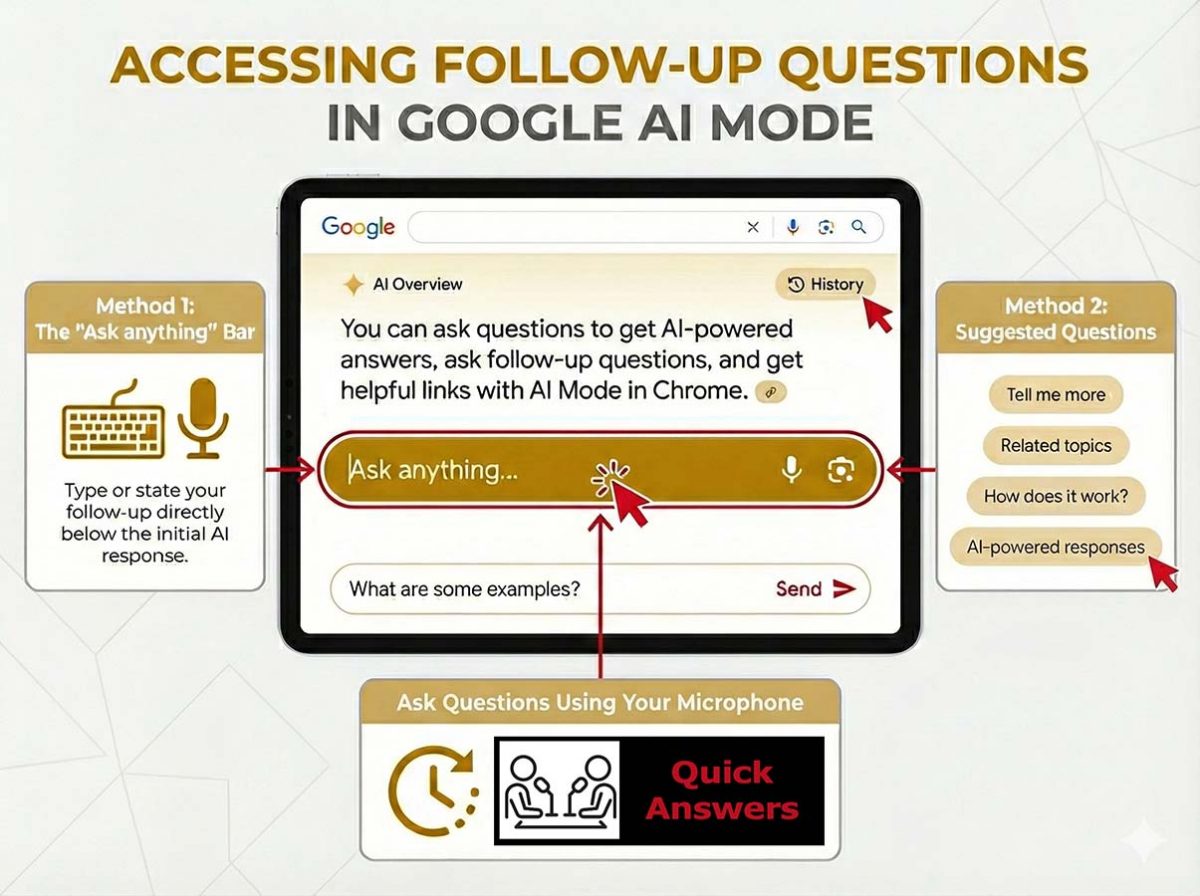
A Guide to Google’s AI Mode Follow-Ups and Multi-Turn Search
Tapping a suggested “follow-up” button now instantly overlays the AI Mode interface over the results to continue the “conversation” without starting a new search.
This is occurring because Google Search transitioned globally on January 27, 2026, to using Gemini 3 as the default model for AI Overviews. Meaning, that AI answers now work better for complex questions.
I wrote about Follow-Up Questions in Google’s SGE back in July 2023. This is a significant change as Agentic Search advances.
Table of Contents
- A Guide to Google’s AI Mode Follow-Ups and Multi-Turn Search
- What are AI Answers and AI Mode Follow-Ups?
- “Just Ask Anything” and “AI Mode Follow-Ups”: Linked Parts of the Search Experience
- QA SERP Feature Comparison Matrix
- Comparing Goals: Follow Up Questions vs. Ask Anything vs. PAA vs. Related Questions
- Comparing Attributes: Visual Appearance, Data Source, and User Action
- The SEO Impact of Query Chains
- How do AI Follow-Ups Work?
- What is the Benefit of AI Follow-Ups to Users?
- What is the Benefit of AI Follow-Ups for Businesses?
- AEO: How to Optimize for the AI Follow Up?
- Showing Up in Follow-Ups: Navigating the Era of AI Search
What are AI Answers and AI Mode Follow-Ups?
The AI Mode “Ask anything” Button (The Trigger): is how the AI Overview initially provides a summary. You must interact using the “Ask anything” or “Show more” button to expand this view. This button is simply a toggle that reveals the deeper interface.
“AI Mode Follow-up Questions and Answers” are advanced features of generative AI that go beyond generating a single response to a user query. The use of text, voice, and images in a single conversational thread retains context across multiple search turns.
Lumped together, this is how I see them: This functionality creates a more interactive and dynamic user experience by providing a direct answer, then proactively offering relevant, context-aware follow-up questions to guide the user toward deeper insights.
Follow-Up chips are pre-written buttons/pills you click to continue the chat. I’m using the term “chips” since it is a standard user interface (UI) design term for these buttons. They act as “suggested next steps” or “follow-up questions”. They represent the more advanced Google Answer Engine.
In my experience, this AI conversational layer eliminates the need to break a complex topic into multiple separate searches. By using follow-up questions, the context is carried over from one question to the next, allowing for a more natural exploration of the topic. This mimics human-to-human conversations.
“AI Follow-up questions” are generally used within a specific context to refine an existing answer, whereas “Just Ask Anything” (AI Mode) represents a broader, independent, and often more in-depth conversational search experience designed for exploring new topics or complex queries.
“Just ask anything” and “AI Mode follow-ups:” Linked Parts of the same Search Experience
The confusion between “AI follow-ups” and “Just Ask Anything” stems from their shared goal of conversational interaction, but they differ in scope, context, and depth.
“Just ask anything” represents a shift in Google Search, powered by Gemini, to a conversational, AI-driven experience (AI Mode) that handles complex, multi-turn queries. In contrast, AI follow-up questions are specific conversational prompts used within that model to refine, deepen, or narrow down search results. This allows for sustained context in a single session.
Key Differences When Comparing “Just Ask Anything” & “AI Follow-up Questions”
“Just Ask Anything” (AI Mode/Overviews):
- Goal: To provide, summarize, and synthesize information instantly using natural language rather than keyword searching.
- Scope: Handles complex, long, and nuanced questions.
- Interface: Features a dedicated “AI Mode” tab, “Dive deeper” buttons, and a persistent search bar for continuous, context-aware interaction.
- Capabilities: Capable of handling text, voice, and image inputs simultaneously.
AI Follow-up Questions:
- Purpose: To drill down into specific details, compare options, or correct misunderstandings from the initial answer.
- Context Management: Unlike traditional search, AI follow-up questions carry over the context from previous queries, preventing the need to re-enter information.
- Interaction: Users can ask for more information (“tell me more”) or ask for a different perspective on the same topic directly within the same AI Overview.
Here is how Google explains this conversational transition:
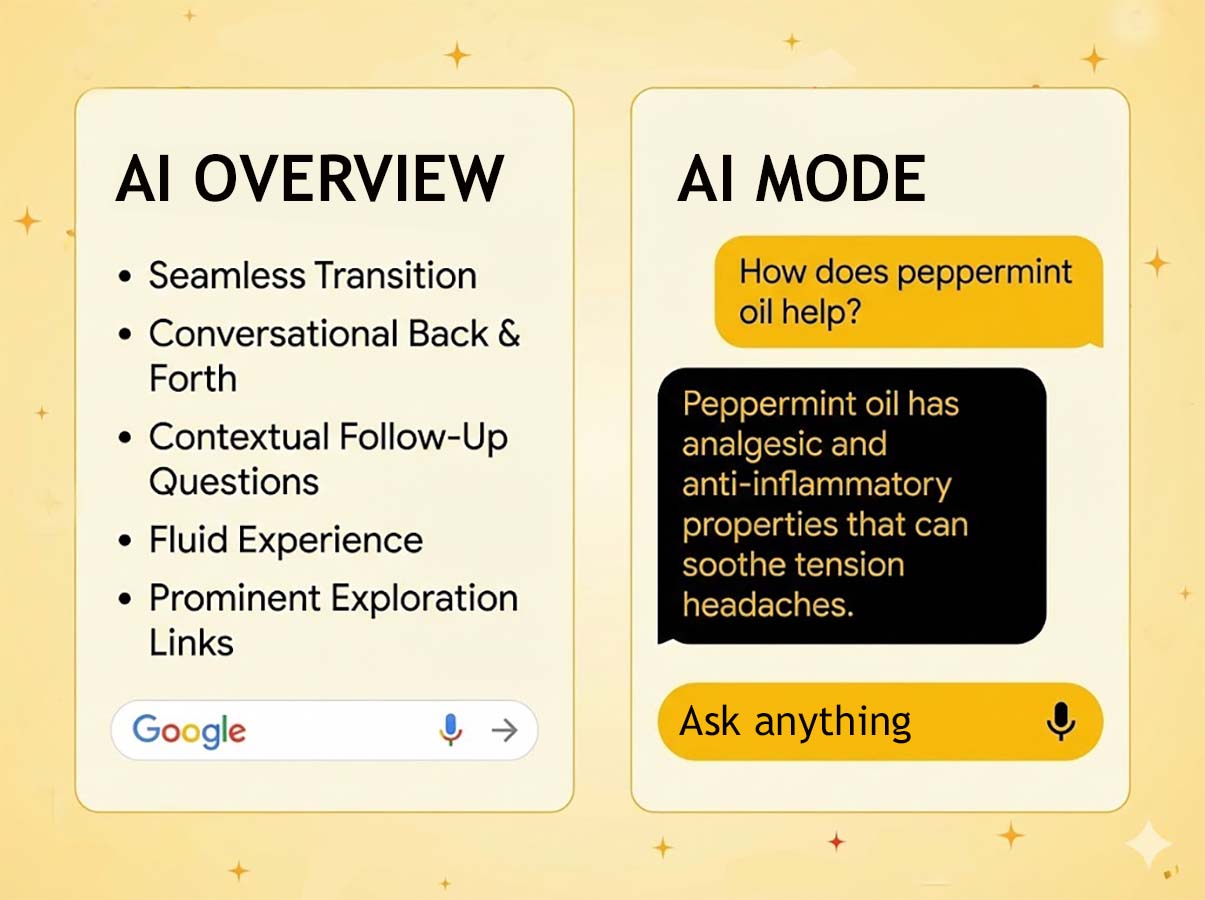
“We’re making the transition to a conversation even more seamless. Now, you can easily ask a follow-up question right from an AI Overview and jump into a conversational back and forth with AI Mode. In our testing, we’ve found that people prefer an experience that flows naturally into a conversation — and that asking follow-up questions while keeping the context from AI Overviews makes Search more helpful.
It’s one fluid experience with prominent links to continue exploring: a quick snapshot when you need it, and deeper conversation when you want it. So next time you have a question, find your nearest Google search bar, and just ask anything.” – Just ask anything: a seamless new Search experience
I’d sum it up this way: while I use the “Ask anything” box to initiate the interaction, then my experience itself “flows naturally into a conversation” known as AI Mode.
While Google markets the ability to “ask follow-up questions directly from the AI Overview”, the actual processing of those questions, where the system remembers context and handles the dialogue, occurs within AI Mode.
We now have many Question/Answer types in the Google Search ecosystem. It can feel like “word soup.” Google and other search engines are currently layering several different types of interactive features on top of each other, and the terminology often overlaps.
I’ll explain some differences in these types of Question Answer SERPs.
Understanding how Google handles “conversational memory” is extremely helpful when feeding your knowledge graph accurate answers. Conversational memory is how AI Search can respond to queries in a chat-like manner. It enables a coherent conversation.
QA SERP FEATURE COMPARISON MATRIX
I’ll put my research into two tables for easier consumption on mobile.
AI Mode “Follow Up Questions” vs “Ask Anything” vs “People Also Ask” vs “Related Questions”
| Feature | Primary Goal | User Experience | Best For… |
|---|---|---|---|
| People Also Ask (PAA) | Discovery & Breadth | Static list of related questions based on search intent. | Quick facts and exploring adjacent topics. |
| Ask Anything | Direct Answers | A single-shot prompt where the AI generates a specific response. | Complex explanations or “how-to” guides. |
| AI Follow-up Chips | Context & Depth | A continuous conversation that remembers previous prompts. | Iterative research and refining a specific idea. |
| Related Searches / Related Questions | Navigational Links | Found at the bottom, these suggest alternative, often broader search options. | Pivoting search intent. |
Comparing SERP Features: Visual Appearance, Data Source, and User Action
| Feature | How They Look | Source of Content | Type of Action |
|---|---|---|---|
| People Also Ask (PAA) | A box of 3–4 questions (e.g., “What is a X?”) that expands when clicked. | Extracted from existing web pages (Snippets). | Click an accordion to view more; stays on the SERP. |
| Ask Anything | A conversational text bar, typically displays within the SERP tinted box. | Generated by a Large Language Model (LLM). Integrates AI Mode and AI Overviews. | An open text box where you type custom natural language. |
| AI Follow-up Chips | Small “pill-shaped” buttons sitting right below an AI-generated summary. | Suggested by the AI model’s logic and context. | Pre-populated buttons/pills you click to continue the chat. |
| Related Searches / Related Questions | Based on historical search data from other users. | Often located at the very bottom of your SERP page or as “bubbles” at the top. |
AI Mode gave me this handy checklist to determine what you are seeing:
- Is it a list of questions with drop-down arrows? → People Also Ask.
- Is it a blue link at the bottom of the page? → Related Searches.
- Is it an empty box waiting for you to type? → Ask Anything (AI).
- Is it a pre-written button suggested by the AI? → Follow-up Question.
The SEO Impact of Query Chains
Now that you can identify the differences, here’s my research summary on the AI SEO implications.
The strategic usage of Questions/Answer “Sessions” (Query Chains)
A searcher’s query sessions store “turns” and “context” to enable follow-up questions. These “query sessions” signal the demise of the isolated keyword. We are moving toward Query Chains.
Your content strategy cannot just target head terms (e.g., “Florida Winter Vacation”). It must address the implicit intent of the follow-up. If Google handles the “context,” your content must be structured to answer the logical next question (e.g., costs, area, weather, safety) within the same cluster.
Or you risk losing visibility in the second turn of the AI conversation.
How do AI Follow-Ups Work?
The AI first provides a concise, direct answer to the user’s initial query. Individuals who search using an AI browser or tool are looking beyond a “Search result.” Most often, they are problem-solving through an AI dialogue that evolves with each LLM response.
LLMs fundamentally break out of this model because they engage in conversations versus transactions. For someone who doesn’t initially know exactly which query to use, the LLM’s response is helpful.
I’ve tested hundreds of LLM conversations to document how vastly different follow-up SERPs end in contrast to my initial prompt.
Searchers ask a question and get an answer. However, their initial response almost always triggers more related questions. The Large Language Models (LLMs) want to keep searchers engaged, so they are created to always end with another question. They intend to keep the conversation going.
And that “intent” works.
If you are like me, you want to know the technical side of how this works.
What does making “follow-up questions context aware and stateful” mean?
While the consumer-facing announcements for AI Mode describe the experience as a “conversational back and forth” where you can ask follow-ups “while keeping the context”, the specific technical phrasing “stateful, multi-turn conversation” appears in the developer documentation for the underlying search technology.
It’s found under “Vertex AI Search.” At of the time of this writing, this documentation was last updated 2026-01-30.
Google documentation for “Get answers and follow-ups” defines the capability as follows:
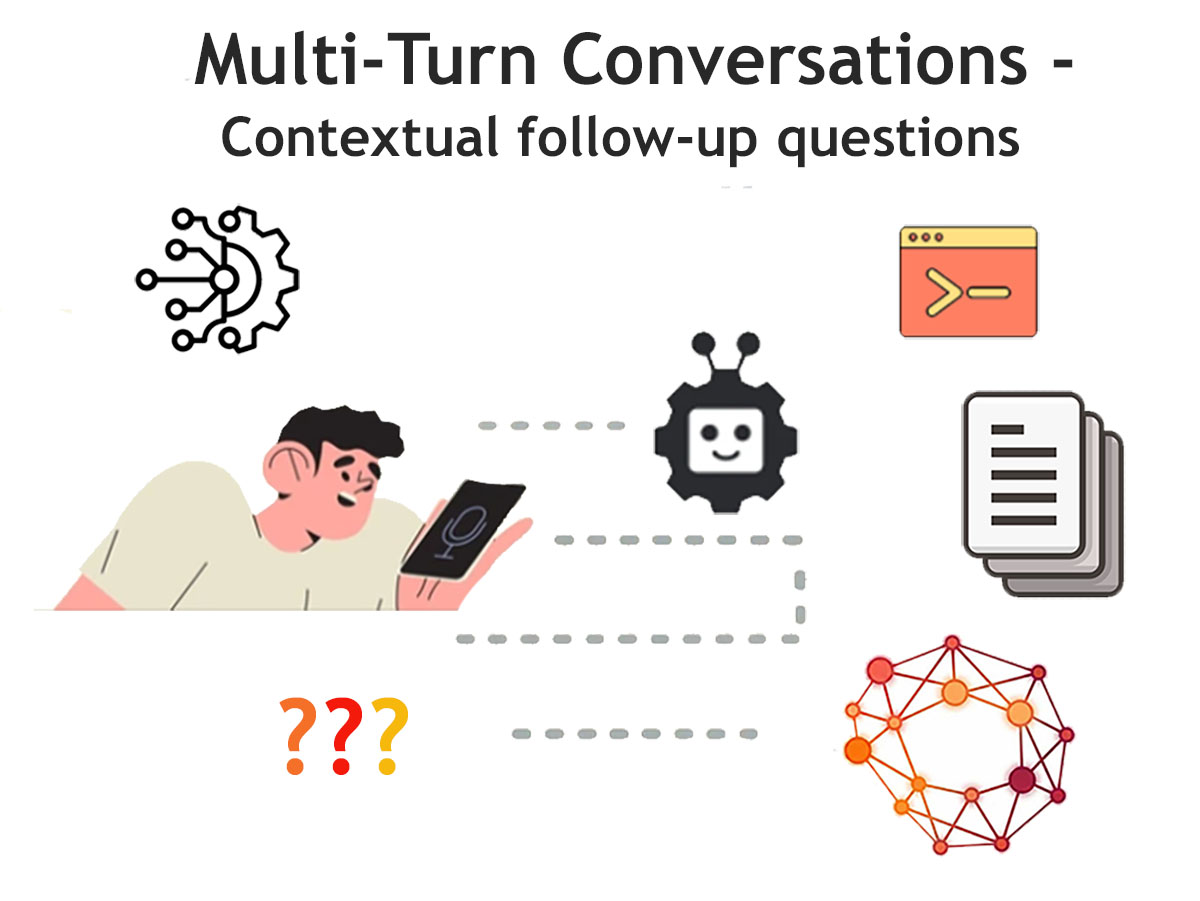
- Stateful and Context Aware: In the section describing Query phase features, Google states that the system can “Synthesize multi-turn queries, to make follow-up questions context aware and stateful”.
- Multi-Turn Conversation: In the section detailing Features of the answer method, Google describes the ability to “combine search and answer generation in a multi-turn conversation by calling the answer method in each turn”.
What is the Benefit of AI Follow-Ups to Users?
Follow-ups are context-aware, subsequent questions generated by AI that allow users to:
- Gain immediate snapshot answers.
- Dive deeper into topics.
- Refine searches.
- Explore related information without starting new queries.
What is the Benefit of AI Follow-Ups for Businesses?
- Improved engagement: The interactive, conversational experience encourages users to spend more time interacting with your website and knowledge graph.
- Increased efficiency: The feature can streamline complex tasks. For example, a financial analyst using a tool with answers and follow-ups can quickly get an answer to a multi-part query, broken down and explained by the AI.
- User feedback: By analyzing the follow-up questions users select, you gain insights into user needs and information gaps in your business knowledge base.
AEO: How to Optimize for the AI Follow Up?
- Think past keywords to conversations across the buyer journey.
- Discover follow-up query patterns in your analytics.
- Create content that naturally branches into the questions your audience may ask next.
- Think like a conversational AI bot: what would a human often ask next?
Additional Thoughts: Create a plan to optimize for high-quality synthesized answers using natural language to answer real user questions.
Success in AI visibility requires shifting from “keyword targeting” to “contextual grounding.” To ensure your content is selected as the primary source during a multi-turn conversation, you must use precise Schema.org properties that allow the LLM to parse your data with high confidence.
- Prioritize Structure: Use schema markup (e.g., FAQPage, HowTo, Product) to help Google understand and display your content in these features.
- Optimize for Answers: Focus on answering specific, long-tail user questions quickly in your content to win featured snippets.
- Prioritize Mobile: Mobile SERPs rely on a cleaner, more visual interface. Meaning, image/video optimization and local SEO are essential.
- Monitor Changes: Use tools like Ahrefs, SEMrush, or Stat Search Analytics to track which features appear for your keywords and to monitor competitive shifts.
For enterprise applications, this answer can be “grounded” in the organization’s own data. Better accuracy is gained by leveraging relevance engineering to the specific business context.
Your content passage may gain that first answer. However, in-depth, semantic content is typically necessary to anticipate and gain visibility into the following user questions. By planning to answer related user questions, you can maintain visibility throughout the journey instead of losing them to a competitor.
I find that HowTo and FAQ schema markup remain effective for training and powering LLMs.
Similiar to People Also Search For (PASF), follow-up queries are a new form of “Suggested Search.” Think of ranking for these suggested follow-ups as the new “People Also Ask” (PAA) optimization. You need to identify what Google suggests after your main keyword and strategize for those specific questions.
Capturing the “Query Chain” with FAQPage
The FAQPage schema is no longer just for generating traditional search snippets; it now serves as a critical training set for “Follow-up Chips” (suggested questions) within the AI Mode interface.
mainEntity: This property must contain theQuestionandAcceptedAnswerobjects to be properly indexed as a factual pair.- Exact Property Match: To validate, the
textwithin theQuestionmust match the natural language wording in your article. Focus on how users phrase things in a second or third turn of a conversation. suggestedAnswer: WhileAcceptedAnswerremains the industry standard, providing comprehensive text fields within theAnswerobject helps the LLM synthesize responses accurately and prevents “hallucinations” during the dialogue.
By structuring your FAQs this way, you increase the likelihood of your content being the “grounded” source when a user clicks a follow-up chip to dig deeper into a topic.
Grounding Your Expertise with Author and Organization schema markup
Google’s E-E-A-T principles are now programmatically verified. To succeed in the 2026 search environment, you must ensure your content is explicitly linked to a real-world entity.
Key Properties: Use author with the @type: Person. Include the following specific fields:
jobTitle: Defines your professional role.knowsAbout: A critical array to list specific topics of expertise.sameAs: Links to verified social profiles, Wikipedia entries, or other authoritative publications.
The AI Impact: This structured data allows AI Search to “trust” the source of the answer during multi-turn sessions. This is particularly vital for follow-up questions involving medical, financial, or high-stakes (YMYL) advice, where the Vertex AI model requires verified grounding to maintain a state of authority.
Vertex AI uses verified grounding to connect Gemini model outputs to trusted data sources. This helps you reduce hallucinations and ensure factual accuracy. Grounding links model responses to specific data, providing citations and evidence.
AEO Implementation Checklist
To ensure your content is technically accessible to the Gemini 3 conversational engine, follow this rigorous validation process:
- Validate Schema Syntax: Use the
Google Rich Results Test
to ensure there are no syntax errors or missing required fields in your JSON-LD. - Maintain Text Mirroring: Ensure the
textproperty within your
AnswerorHowToStepmatches the visible “people-first” text on the page exactly to satisfy Google’s
Trustworthiness signals. - Increase Attribute Granularity: Provide specific data points like
contentSize,encodingFormat, orestimatedCost. These serve as
“hooks” that the AI uses to pull your content for specific follow-up queries. - Map the Query Chain: Audit your
FAQPageschema to ensure the
Questionproperties align with the natural language patterns found in multi-turn
conversations (e.g., questions starting with “What about…” or “How does that compare to…”).
Expert Tip: In the era of Agentic Search, your Schema.org markup acts as the API that allows Gemini to interact with your business data. Without structured data, your brand remains invisible to the conversational engine’s “stateful” memory.
How do I ask a follow-up question in AI Mode?
To ask a follow-up question when using Google’s “AI Mode,” you use the dedicated input bar that appears within the conversational interface after the initial AI-generated response.
Here are the steps to take:
- Locate the “Ask anything” bar: After Google provides the initial AI-powered answer (sometimes called an “AI overview” or “snapshot”), scroll down if needed until you see a text input field at the bottom of the screen, often labeled “Ask anything”.
- Type your question: Enter your next, related question into this bar. The AI will retain the context of the previous conversation to provide a relevant answer.
- Submit your query: Tap the search or send icon to get your AI-powered follow-up response.
- Use suggested questions (or ask your own): Sometimes, Google will display several suggested follow-up questions (e.g., “compare destinations,” “check license requirements”) below the initial answer that you can tap to continue the conversation.
- You can continue this conversational flow for multiple follow-up questions within the same AI Mode session. You can revisit past conversations through your AI Mode history.
Can AI Mode generate charts and images during follow-up questions?
Yes, AI Mode (specifically via the Vertex AI Search technology that powers it) can generate charts and display images during follow-up questions.
Looking again at the technical documentation, these “multimodal” capabilities are fully compatible with the multi-turn follow-up conversation structure.
- Chart Generation: The system can “generate charts and graphs” as part of the answer.
- CImage Retrieval: The system can “retrieve existing images” from the data store.
Does AI Mode handle follow-up questions with a “query fan-out” technique?
Yes. We call this a unified reasoning process. The system uses a “query fan-out” technique to break down complex multimodal prompts into subtopics, searching for each simultaneously to provide a comprehensive response.
What are the most common follow-up questions in AI Mode in healthcare queries?
Follow-up questions in healthcare AI search modes typically follow a three-phase “Patient Journey,” shifting from broad symptom research to detailed preparation for medical visits.
The most common follow-up queries include:
- Symptom refinement and contextualization.
- Treatment and what to do at home education.
- Appointment prepartion and what to expect questions.
Showing Up in Follow-Ups: Navigating the Exciting Era of AI Search
The global transition to AI Search marks a shift from ‘keyword matching’ to ‘contextual conversation.’ Now that you know AI Follow-ups allow users to refine and narrow specific results without losing their place, take the next step. Hill Web Marketing helps businesses provide a comprehensive environment for tackling complex, multi-turn inquiries from scratch. Understanding the distinction between QA SERP features is key to mastering the 2026 search landscape.
Appearing in the Google”AI Mode Follow-Up” feature is just one of the many ways companies can increase their exposure online, as well as drive leads and sales.
Call 651-206-2410 for services to run your comprehensive SERP Analysis for Advanced Search as Conversation